
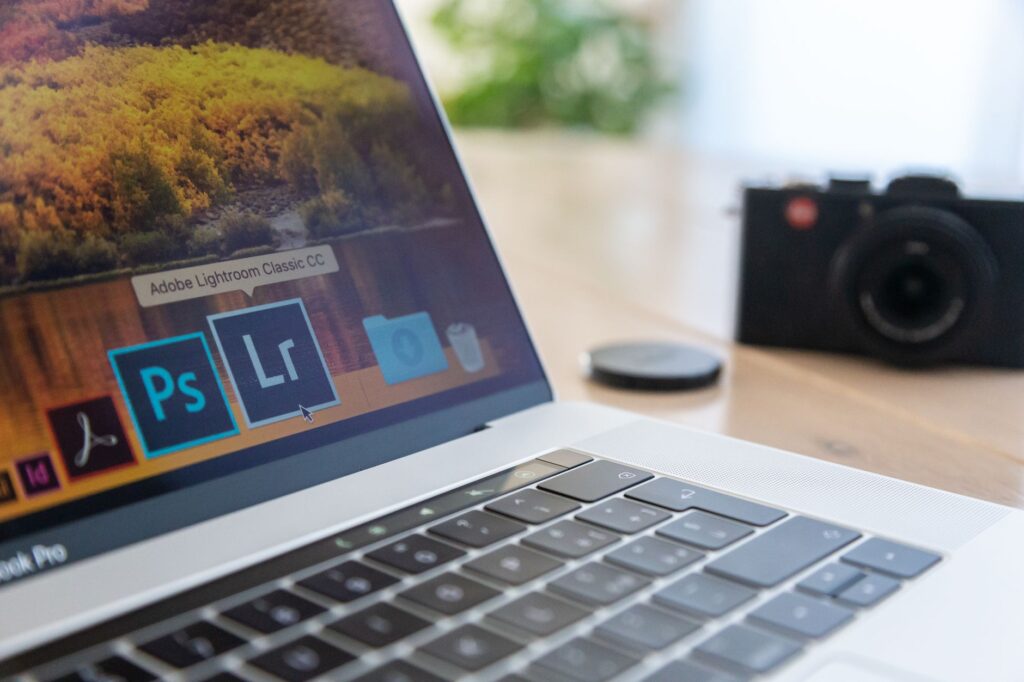
Open-Source Photoshop Alternatives: Best Free Tools to Use
Open-source Photoshop alternatives offer free tools for creative projects. Discover the best options available now!
open-source Photoshop alternatives are gaining popularity among creatives looking for cost-effective solutions. This article explores the latest AI-driven tools that replicate Adobe’s functionality.
What Are Open-Source Photoshop Alternatives?
Open-source Photoshop alternatives are software options that offer similar features to Adobe Photoshop but are available for free and allow users to modify the source code. These tools are often developed by communities of programmers and designers who aim to provide accessible and powerful graphics editing solutions.
With the rise of digital creativity, many users seek cost-effective ways to edit images and designs. Open-source alternatives typically provide a range of functionalities, including:
- Layer management
- Advanced selection tools
- Image retouching and manipulation
- Support for various file formats
- Customizable user interfaces
These tools not only serve as budget-friendly options but also foster a sense of community and collaboration among users who contribute to their ongoing development.
Top Features of Free Tools
Open-source Photoshop alternatives offer a range of features that cater to both amateur and professional designers. Here are some of the top features to consider:
- Layer Support: Like Photoshop, these tools allow users to work with multiple layers, making complex designs easier to manage.
- Extensive File Format Compatibility: Open-source tools can handle various file formats, including PSD, making it simple to import and export your work.
- Customizable Interface: Users can often adjust the layout and tool selection according to their preferences, enhancing workflow efficiency.
- Active Community Support: Many of these alternatives have thriving communities, providing plugins, tutorials, and troubleshooting assistance.
- Advanced Editing Tools: Features such as filters, brushes, and vector graphics are commonly available, ensuring a versatile design experience.
These functionalities make open-source Photoshop alternatives worthy contenders for creative projects.
How AI is Transforming Creative Software
Artificial Intelligence (AI) is revolutionizing the landscape of creative software, offering users enhanced capabilities and streamlined workflows. Open-source Photoshop alternatives are benefiting significantly from these advancements, as developers leverage AI to improve features and usability.
One of the most notable transformations is the integration of AI-driven tools that automate complex tasks, making it easier for users to achieve professional results without extensive experience. This includes:
- Image enhancement: AI algorithms can automatically adjust colors and improve image quality.
- Content-aware editing: Users can easily remove unwanted elements from images with minimal effort.
- Smart filters: AI can suggest filters based on the content of the image, saving time during editing.
As these technologies evolve, open-source Photoshop alternatives are poised to become even more robust, offering powerful tools for both amateurs and professionals alike.
Comparing Open-Source and Adobe Products
When considering open-source Photoshop alternatives, it’s essential to weigh their strengths against Adobe’s flagship products. While Adobe Photoshop is a powerhouse with extensive features, open-source tools offer unique advantages.
One significant benefit of open-source software is its cost; these tools are usually free, making them accessible to a broader audience. Additionally, users can customize open-source programs to fit their specific needs, fostering a community-driven approach to software development.
However, there are limitations to consider. Open-source alternatives may lack some advanced features and integrations that professionals expect from Adobe products. For instance, while tools like GIMP and Krita provide robust editing capabilities, they might not offer the same level of polish or user support.
In summary, the choice between open-source options and Adobe products depends on individual needs, budget, and the desired level of functionality.
User Experience with Free Alternatives
User experience with open-source Photoshop alternatives varies widely, but many users report positive outcomes. These free tools often come with intuitive interfaces and customizable features that cater to both beginners and seasoned professionals.
Here are some common user experiences:
- Accessibility: Users appreciate that open-source alternatives are available to everyone, removing financial barriers to high-quality design tools.
- Community Support: Many find comfort in the active communities surrounding these tools, where users share tips and troubleshoot issues.
- Frequent Updates: Open-source software often benefits from regular updates and feature enhancements, driven by user feedback and contributions.
- Learning Curve: While some users may face initial challenges, many find the transition to these tools rewarding as they discover new capabilities.
Overall, the user experience with open-source Photoshop alternatives is enhancing the creative landscape significantly.
Community Support for Open-Source Projects
The success of open-source Photoshop alternatives largely depends on the strength of their community support. These projects are often bolstered by enthusiastic users and developers who contribute not only code but also valuable feedback and tutorials. This collaborative spirit fosters a sense of ownership and motivation among users, encouraging them to share their experiences and suggestions.
Many open-source tools also host forums and chat groups where users can seek help, share tips, and collaborate on projects. This creates an environment where even novice users can quickly learn and adapt, making the transition from paid software to free tools smoother.
With a dedicated community behind them, open-source Photoshop alternatives evolve continuously, benefiting from regular updates and improvements based on user needs, ensuring they remain competitive with proprietary software.
Real User Reviews of Free Tools
Many users have turned to open-source Photoshop alternatives as viable solutions for their graphic design needs. Feedback from the community highlights several key benefits and drawbacks of these tools.
- GIMP: Users praise its extensive features and customizable interface, though some find the learning curve steep.
- Krita: Artists love its painting tools and vibrant community but note occasional performance issues with large files.
- Photopea: This web-based alternative is celebrated for its familiar interface and ease of use, but a lack of advanced features can be limiting.
Overall, the consensus is that while these free tools may not completely replace Adobe’s offerings, they provide a robust suite of functionalities for those seeking budget-friendly options without sacrificing too much quality.
Future of Open-Source Creative Software
The future of open-source creative software looks promising as advancements in technology continue to reshape the landscape. With the rise of AI, developers are finding innovative ways to enhance open-source Photoshop alternatives, making them more powerful and user-friendly. This shift not only democratizes access to high-quality design tools but also fosters a vibrant community of creators who contribute to ongoing improvements.
As users increasingly seek out free tools that rival traditional software, the demand for open-source solutions is on the rise. These alternatives are becoming viable options for both amateurs and professionals, offering a range of features that cater to diverse creative needs.
In the coming years, we may see even greater integration of AI capabilities, further blurring the lines between open-source and commercial software. The commitment to collaboration and innovation within the open-source community is set to drive the evolution of these essential tools.
Photo by Donatello Trisolino on Pexels
Read the original
You might also like
Nvidia Figure AI investment: Is it the Best Move Ever? · Pixel Buds update: Is it the Best Improvement Ever? · Pixel Buds Update: Best Features for Smart Users Revealed